Multi-tenant Microsoft Teams policy management for MSPs
Set Teams external access, guest access, app permissions and who can create teams from one screen, apply it across every client tenant, and get told when a tenant moves off the standard.
Every tenant’s Teams controls scored against a baseline
Manage
View, adjust, assign, create and remove Teams policies
Monitor
Drift alerts when a control moves off the standard
Report
Exportable evidence mapped to recognized standards
Why managing Teams policy tenant by tenant stops working at scale
Collaboration ships open
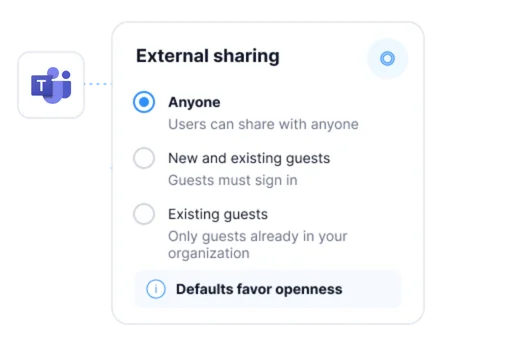
External access, guest access and app installs are permissive by default. A client is exposed by inaction rather than by a mistake, and Teams is now a route in for phishing and social engineering.
One admin center per client
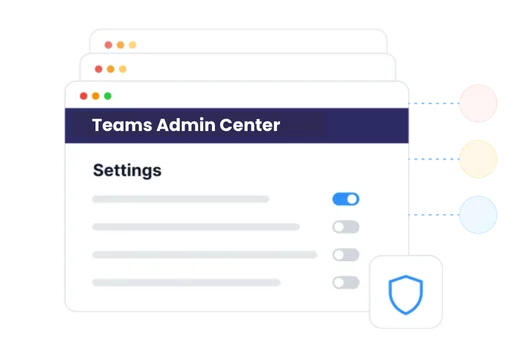
The Teams admin center is single-tenant. Across every client an MSP manages it is the same meeting, messaging and app policy set again per client, or a script somebody now owns and maintains.
Nobody can answer for every client
Ask how Teams is actually configured across the client base and the honest answer has been that nobody knows, because checking means opening every tenant one at a time.
Core Features
Set Teams policy once, and have it hold across every client
External access and guest access, managed cross-tenant
Decide who a client’s users can meet, chat and collaborate with outside the organization, and set the same rule everywhere it belongs. Federation and external access policy is managed from Augmentt instead of one Teams admin center at a time.
Meetings, messaging, apps and channels in one place
View, adjust, assign, create and remove policies for meetings, messaging, app permissions and setup, and channels. Anonymous join, recording, chat retention and which apps a user may install are all set from the same console.
One consolidated settings page, a single save
The org-wide Teams security controls sit on one screen with one save, rather than scattered across the tabs of the Teams admin center. A technician makes the change once and moves on.
Benchmark scoring and drift detection
Teams controls are read from the real tenant and scored against a security baseline. When one drifts off that baseline, Augmentt flags it against the same benchmark the audit uses, with the alerting, auto-remediation and snoozing already in the platform.
One source for the change and the evidence
Every Teams control a team manages maps back to a recognized standard. Export the evidence in a click when an auditor or a cyber insurer asks for it, instead of rebuilding it by hand. And when a control needs premium Microsoft licensing, the view says so, turning a compliance gap into a licensing conversation.
CIS Microsoft 365
HIPAA
CMMC
NIST CSF
ISO 27001
Microsoft Secure Score
Native admin centers vs. Augmentt
The same five jobs, done per tenant or done once.
The job
See Teams posture across clients
Set external and guest access
Change a meeting or app policy
Notice when it changes
Prove it to a client or auditor
Teams admin center + scripts
One login per tenant, one screen at a time
Federation and guest settings changed per client, by hand
Several tabs of the admin center, once per client
Nothing tells you; it surfaces in the next audit
Screenshots assembled by hand before the QBR
Every managed tenant in one view, scored against your benchmarks
Managed from Augmentt and applied in the real tenant
One consolidated settings page with a single save
Posture drift alerts, with auto-remediation and snoozing
Exportable posture reporting mapped to recognized standards
Three steps to managing Teams policy at scale
01
Connect the tenants
Magic Link onboarding and GDAP automation bring tenants in on the same permission model your team already uses for user management, licensing and Intune.
02
See where Teams stands
Read each tenant’s meetings, messaging, app and external access policy, scored against your benchmarks, and see where licensing limits what a client can enforce.
03
Set it and hold it
Assign the policies a client should run, save the org-wide controls in one pass, and let drift alerts tell the team when a tenant moves off the standard.
What changes for your team
The same coverage pays off differently depending on which seat you sit in.
For MSP owners
A collaboration security service you can sell
Show a client where their Teams posture stands against a standard they recognize, and bill for keeping it there.
Hand an auditor, an insurer or a QBR the same exported evidence your team works from.
When a client sees which controls their licensing cannot support, premium licensing becomes their requirement rather than your upsell.
For MSP techs
One screen instead of one admin center per client
Set external access, guest access, app permissions and who can create teams once, then apply it across tenants.
Save the org-wide Teams security controls in one pass, and get told when someone loosens one.
Runs on the GDAP permissions already in place for everyday user management and licensing work, with no golden tenant to maintain.
"We built an entire managed service around the Augmentt platform so we can sell our customers a service that will keep their tenants up to date and configured all the time rather than needing to do these professional services engagements periodically."
Tim Campbell
Practice Director, All Covered
Microsoft Teams management FAQs
Common questions from MSPs evaluating multi-tenant Microsoft Teams policy management.
What is multi-tenant Microsoft Teams policy management?
It is managing Teams policy across many Microsoft 365 tenants from one console instead of opening the Teams admin center for each client. Augmentt manages meetings, messaging, app permissions and setup, channels and external access across every managed tenant, audits those controls against the CIS Microsoft 365 Benchmark, and flags a tenant when it drifts.
Which Teams policies does Augmentt manage?
Meeting policy, messaging policy, app permission and app setup policy, channel policy, and external access and federation policy. A technician can view, adjust, assign, create and remove those policies, and a consolidated Teams settings page puts the org-wide security controls on one screen with a single save.
Does Augmentt replace the Teams admin center?
For the policies Augmentt manages, a technician works cross-tenant from Augmentt instead of opening the admin center per client. Augmentt edits the real policy in the real tenant, so the setting is where Microsoft expects to find it.
Can external access and guest access be controlled from Augmentt?
Yes. External access and federation policy is managed alongside the rest of Teams policy, so who a client’s users can meet, chat and collaborate with outside the organization is decided in one place rather than per tenant.
How does Augmentt handle clients with different collaboration needs?
A law firm and a marketing agency have genuinely different collaboration needs. Augmentt reads and manages each tenant individually rather than pushing from a master tenant, so tenants can hold different Teams postures while every one of them is measured against the same benchmark.
What happens when a Teams policy drifts from the standard?
Drift on a managed control is flagged against the same benchmark the audit uses, and the platform’s alerting, auto-remediation and snoozing apply — so a loosened Teams setting surfaces as an alert rather than as an audit finding later.
Does DLP in Microsoft Teams fall under this?
DLP in Teams is verified as part of Augmentt’s Purview coverage, alongside sensitivity label publication status and DLP for Microsoft 365 Copilot. Teams policy management and Purview coverage sit in the same multi-tenant console.
What if a client is not licensed for a control?
Relevant Microsoft licensing requirements are surfaced in the compliance view, so the gap is visible per tenant and becomes a concrete licensing conversation rather than a surprise.
Can this be proven to an auditor?
Every check maps to a recognized standard — CIS, HIPAA, CMMC, NIST CSF, Microsoft Secure Score and ISO 27001 — and posture is exportable. Augmentt evidences control state, so the report a client sees and the evidence an auditor sees come from the same source.
Doesn't Microsoft 365 Lighthouse already do this?
Lighthouse is oriented to identity and threat protection and does not reach Teams, SharePoint or Purview policy. That is why MSPs have had no cross-tenant answer for collaboration settings.
See how every client has Teams configured today
Run Microsoft 365 security reports across your customers and see the Teams external access, guest access and app controls that are open right now.