
Sign In
Choose your region
Sign in to your workspace
Sign In
Choose your region
Sign in to your workspace
Conditional Access, Defender and Intune all target groups. Create Entra ID groups from templates, deploy a standardized group baseline to a tenant, and give every policy the same groups to point at in every client.
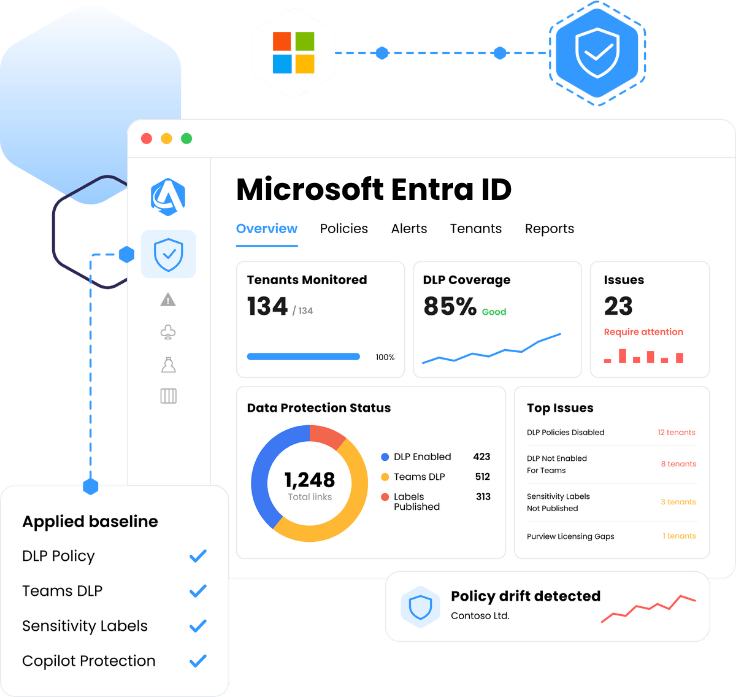

Group templates with standardized names and descriptions

A group baseline into the tenants that need it

Conditional Access, Defender and Intune against the same groups

Exportable evidence mapped to recognized standards
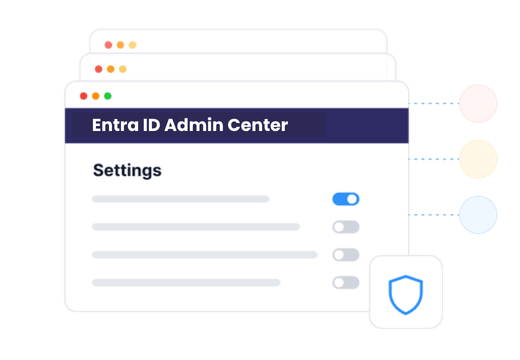
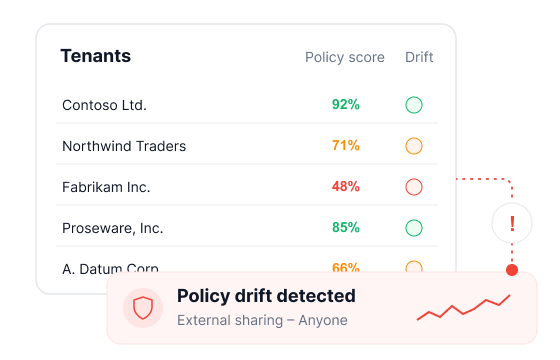
One client has “MFA Exclusions”, the next has “CA-Exempt”, the third has a group somebody created in a hurry. The same policy has to be re-scoped by hand in every tenant.
A Conditional Access or Intune rollout stops halfway while a tech goes and creates the groups it needed. The structure gets invented per client instead of coming from a standard.
The Entra admin center is single-tenant. Across every client an MSP manages, routine group work means a login per client, or a script somebody now owns and maintains.


Add groups to a client tenant without opening the Entra admin center. Pick the type — Microsoft 365 or security, static or dynamic membership — enter the details, review, and save. Routine group work stops being a per-tenant login.

Dynamic groups are the ones worth having and the ones nobody wants to build — the membership rule gets written, tested and retyped in every tenant. Capture it in a template once and it comes with the group, along with the naming and description pattern, so a dynamic group is as quick to stand up as a static one and named the same way in every tenant.

Select the baseline, check the deployment settings, review, and deploy. A standardized set of groups and enrollment lands in the tenant as one action, so a new client starts on the same structure as every other client.

Those policies assign to groups. With a standardized group structure already in place, a policy deploys across the base without its assignments being rebuilt per client, and an exclusion group means the same thing in every tenant.

Who has access, who is in the admin group, who was excluded from a control — the answers live in Entra ID groups, and every framework asks for them. Because the group structure is standardized in Augmentt, that evidence exports in a click instead of being rebuilt by hand per client. And when a control needs premium Microsoft licensing, the view says so, turning a compliance gap into a licensing conversation.
The same five jobs, done per tenant or done once.

Connect through your CSP relationship in Partner Center, with Magic Link onboarding and GDAP automation for tenants outside it. Most MSPs are already connected for user management and licensing.
Define the group templates and the baseline the practice runs on, with the names, descriptions and enrollment every client tenant should end up with.
Push the baseline into the tenants that need it, then deploy Conditional Access, Defender and Intune policy against groups that already mean the same thing everywhere.
The same coverage pays off differently depending on which seat you sit in.




Common questions from MSPs evaluating multi-tenant identity management.
It is creating and standardizing Microsoft Entra ID groups across many client tenants from one console instead of building them by hand in each tenant. Groups are created new or from a template, and a baseline of standardized group names and enrollment can be deployed to a tenant.
A reusable definition of a group — its type and its naming and description pattern — applied when adding groups to a tenant. Name and description can still be adjusted before saving, so a template is a consistent starting point rather than a locked result.
A baseline is a set of standardized groups deployed together. The baseline is selected, deployment settings are checked and the whole thing is reviewed before it is applied, so the same group structure lands in every client tenant.
Microsoft 365 groups (including dynamic) and security groups, with static or dynamic membership. Dynamic membership rules can be carried in a template, so the rule does not have to be rewritten in each tenant.
Those policies target groups. When group names and enrollment mean the same thing in every tenant, a policy can be deployed across the base without rewriting its assignments per client, and an exclusion group means the same thing everywhere.
It removes the need to open the Entra admin center per client for routine group work. Groups are created, templated and deployed across managed tenants from one screen, on the GDAP permissions already in place.
Yes. Group membership and exclusions are exactly what frameworks ask about, and checks map to recognized standards — CIS, SOC 2, HIPAA, CMMC, NIST CSF and Essential Eight. Posture is exportable, so the report a client sees and the evidence an auditor sees come from the same source.
Yes. Microsoft Entra ID sits alongside Conditional Access, Microsoft Intune, Defender, Microsoft Purview, SharePoint and OneDrive sharing, and Microsoft Teams policy in the same multi-tenant console.
Connect your tenants, set the group templates and baseline your practice runs on, and stop rebuilding the same structure client by client.

HIPAA

NIST / CIS
Safety standards
MAPPED

CMMC