

4.5 Stars (100+ Reviews)

Microsoft 365 Management Automated for MSPs

Eliminate repetitive admin work and give your technicians time back.

These companies trust Augmentt

Less rework. Fewer tickets. Happier clients

Experience the smarter way to manage M365 users across all your tenants.

Significantly reduce technician time and ensure a consistent experience across clients.

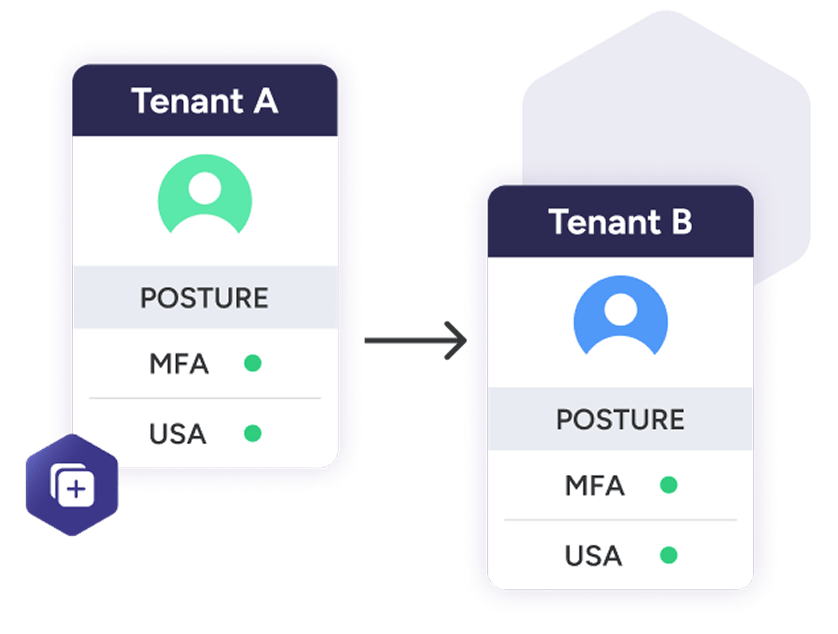
Onboard Users in Minutes

Skip the repetitive setup work. With Engage Autopilot, you can clone settings from existing users and apply pre-set onboarding defaults across all tenants. Whether you’re adding one user or rolling out for a new client, you’ll do it faster, more consistently, and with fewer errors.
Prevent security gaps and reduce technician workload during offboarding.

Simplified, Scheduled Offboarding

Offboarding delays can lead to risk. Engage Autopilot gives you complete control with customizable defaults and the ability to schedule offboarding actions in advance. No more late-night logins or missed steps.
Resolve support requests faster, reduce ticket volume, and improve client satisfaction.

Powerful User Actions & Security Controls

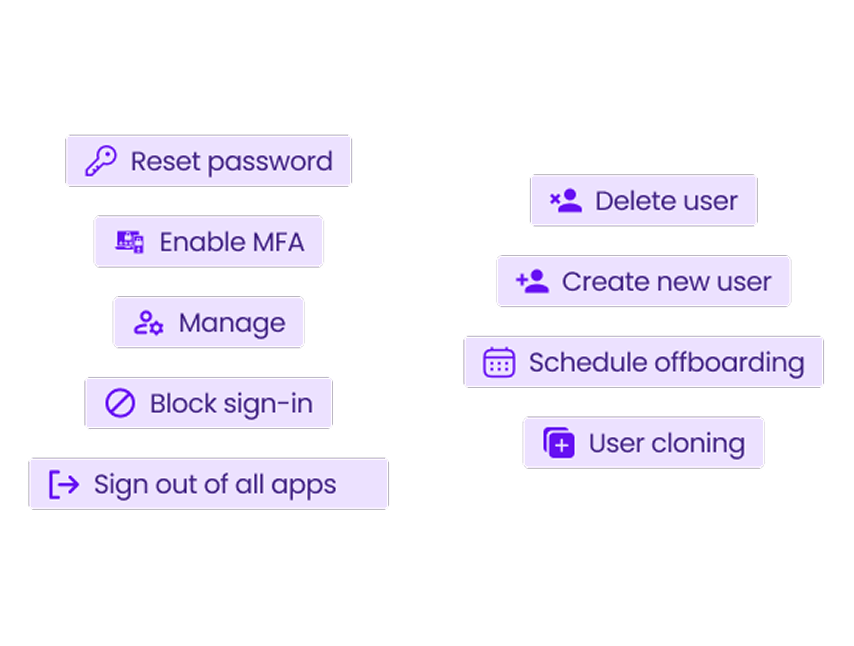
Stop jumping between Microsoft portals for simple user changes. Engage Autopilot gives technicians quick access to high-frequency actions, all from one interface. This allows them to respond faster and keep clients secure.
Boost productivity, reduce human error, and deliver consistent service at scale.

Manage More Clients with Fewer Clicks

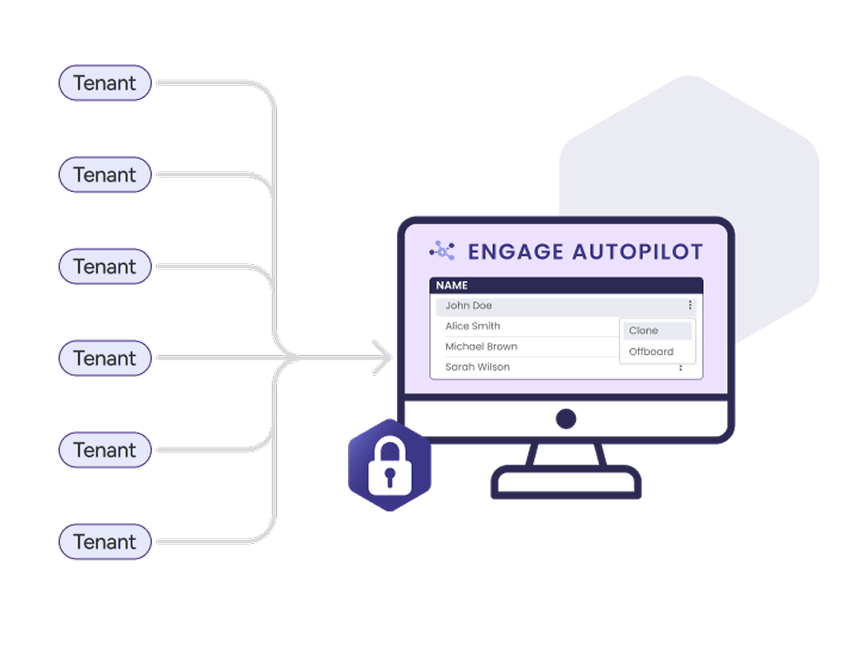
Whether you’re managing 5 tenants or 500, Engage Autopilot simplifies it all. Centralized controls, role-based permissions, and standardized policies help your team stay consistent, efficient, and compliant at scale.

Turn Microsoft 365 Management Into a Competitive Advantage

Engage Autopilot helps MSPs simplify and scale Microsoft 365 user management across every client. From fast, repeatable onboarding to scheduled offboarding and one-click user actions, your team gets the tools to work smarter, not harder.

Features

Get The Augmentt Advantage

User Cloning For Easy Tenant Onboarding

Import all of your clients from Microsoft Partner Portal or invite new clients with a magic link.
Scheduled User Offboarding
Prevent delays and risks by scheduling offboarding in advance across tenants.
Simplify MFA Management
Re-register MFA or issue Temporary Access Passes in seconds — no Microsoft portal required.
One-Click User Actions
Reset MFA, manage forwarding, enable OOO replies, and more, all from one dashboard.
Manage All Clients in One Place
Monitor and manage Microsoft 365 users across all tenants with ease.
Stay Organized with User Groups
Assign similar users to groups for easier standardization and day to day management.
Communicate Effectively with Distribution Lists
Keep everyone in the loop by creating lists to easily send messages to.
Delegate With Confidence
Control access for L1, L2, and L3 techs with role-based access.
Buil To Scale
Whether you have dozens or thousands of users, take action in just a few clicks.

The Augmentt Platform

User Cloning

Copy settings from an existing user to onboard new users faster

Scheduled Offboarding

Set future dates for automatic, secure offboarding

Standardization Across Tenants

Global default settings and repeatable workflows

Operational Efficiency Tools

Automate repetitive tasks to free up technician time

Microsoft Security Best Practices

Apply best practices with one-click

Microsoft 365 management

Resolve common helpdesk tickets with ease

Out of Office & Email Forwarding Management

Easily configure user forwarding and auto-replies during offboarding

Multi-Tenant Dashboard

View and manage users across all your Microsoft 365 tenants from one interface

Re-Register MFA & Issue Temporary Access Passes

Quickly resolve MFA issues without logging into the Microsoft admin center

FAQ

How does Engage Autopilot save my technicians time?
Engage Autopilot eliminates repetitive admin work by standardizing onboarding, automating offboarding, and enabling common user actions in one click. Your techs can do more in less time, without jumping between Microsoft portals.
Yes. You can define onboarding and offboarding defaults globally or per tenant, including licenses, email formats, security groups, and more. This ensures consistency, reduces manual errors, and scales your processes.
Microsoft tools are powerful but not built for MSPs. Engage Autopilot provides a multi-tenant dashboard, technician role controls, automation layers, and faster workflows that Microsoft doesn’t offer — all tailored for service delivery.
You can fully schedule user offboarding, including mailbox handling, group removal, and out-of-office setup. This ensures nothing gets missed and eliminates the need for manual follow-ups or weekend work.
Absolutely. With role-based access and predefined workflows, L1 and L2 techs can confidently complete tasks that used to require senior resources, without introducing risk.
Does Engage Autopilot support Microsoft 365 security best practices?
Augmentt is one of the few vendors SOC 2 Type II, and GDPR compliant.
Setup is quick — most partners are up and running the same day. The interface is intuitive, and we provide full onboarding support to help your team get value from day one.

About Augmentt

Augmentt’s values are deeply rooted in the history of our two founders, Derik Belair and Gavin Garbutt. The former founders of N-able came together with an idea that would forever shape the IT channel, by helping MSPs move from a break-fix model to creating managed services.

That same passion and vision is what let them to create Augmentt, a SaaS Security Management platform, optimized for Microsoft.

The platform is built for MSPs who are serious about creating a profitable future through managed SaaS services.


Run Unlimited Free M365 Security Reports

Across All Your Customers. Forever.

What our partners are saying

MSPs Leading With Augmentt

Why They Chose Augmentt:

“We built an entire managed service around the Augmentt platform so we can sell our customers a service that will keep their tenants up to date and configured all the time rather than needing to do these professional services engagements periodically. I think not only has the quality improved, but it’s opened up an entirely new service. We’ve been able to sell to our customers very successfully.”

– Tim Campbell, All Covered
What They’re Using Augmentt For:

Related Content

Webinar

The Intune Policy Playbook for MSPs

Learn how to build a consistent, secure Intune foundation across all your clients.

Watch Now
eBook
The MSPs Guide to Preventing 99% of Microsoft 365 Cyber

5 Easy Steps to Protect your Clients from Cyberattacks in 2026.
Read Now
eBook

The New Cybersecurity Reality for MSPs in 2026

Placing your clients on the path to preventing 99% of breaches
Read Now

Ready to get started?

Protect your customers from the growing cyber security threat landscape while growing your MSP by selling enhanced SaaS security services.
Monthly Update Webinar
Get the latest platform updates live every month!
Watch Demo
Take a self guided tour of the Augmentt platform.

© 2026 Augmentt. All Rights Reserved.

Terms & ConditionsPrivacy Policy