



Summary
Hackers don’t usually break in anymore; they log in. That’s why identity (user accounts and passwords) is now the biggest risk for MSPs. Since Microsoft 365 controls email, files, and admin access, one stolen login can cause serious damage fast. MSPs can reduce risk by using strong sign-in protection and limiting powerful access.
If you run an MSP, you already know the job has changed.
A few years ago, most attacks were about breaking into a network. Today, the biggest danger is much simpler:
Hackers are trying to log in.
That’s why identity, who someone is online and what they can access, has become the #1 way attackers get in.
And for MSPs, this shift changes everything.
That’s why identity, who someone is online and what they can access, has become the #1 way attackers get in.
And for MSPs, this shift changes everything.
What “Identity” Means
An identity is basically a digital name tag.
It includes things like:
- A username and password
- A Microsoft 365 login
- An email account
- A Google Workspace account
- A sign-in to a cloud app
When attackers steal or trick someone into giving up their login, they don’t need to “hack” anything the old-fashioned way.
They just sign in like a normal user.
Why Hackers Love Identity Attacks
Identity attacks are popular for one big reason:
They’re easy, fast, and hard to notice.
Instead of smashing through a wall, attackers use a stolen key.
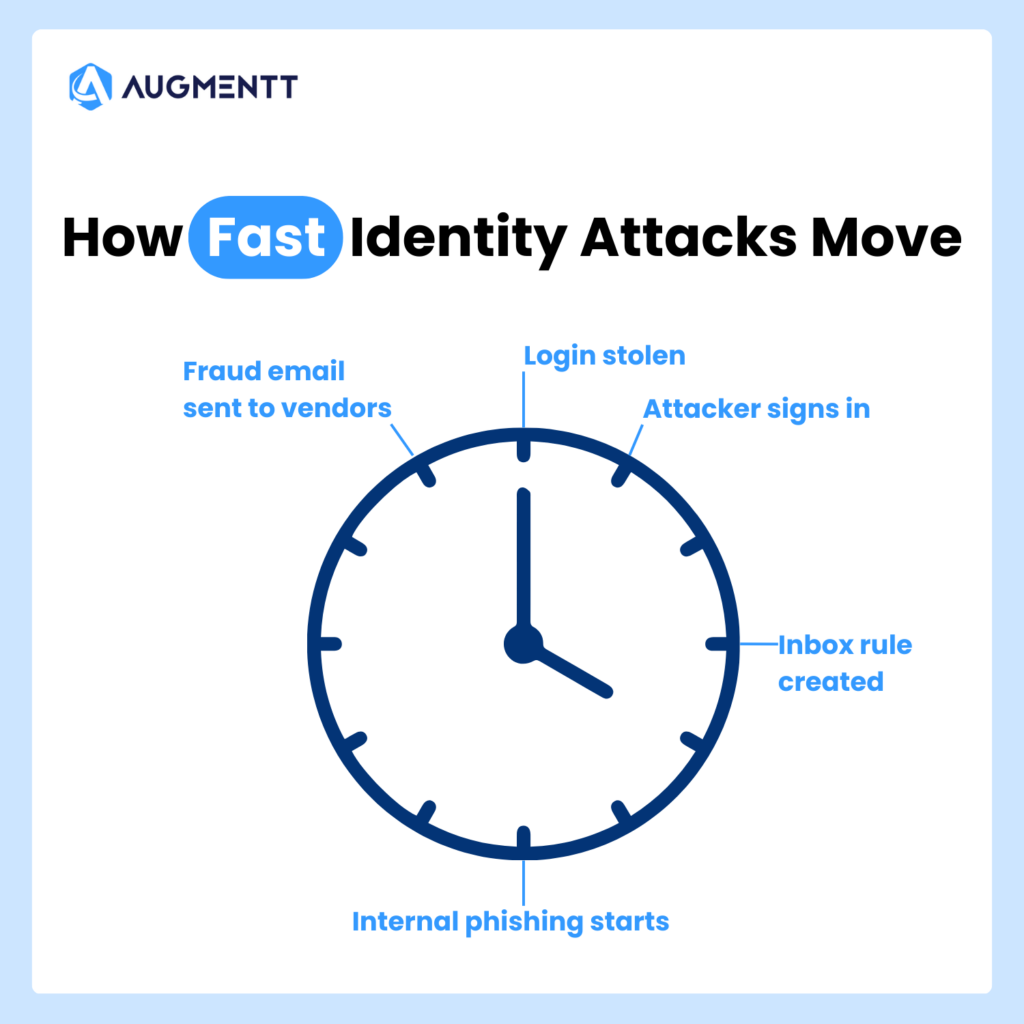
Once they’re inside, they can:
- Read emails
- Reset passwords
- Steal files
- Send invoices or wire fraud emails
- Create new admin accounts
- Spread malware
- Lock systems with ransomware
And the scariest part?
Many of these actions look normal in the logs.
That’s why it’s so important for MSPs to stay on top of their tenants and users; just one data breach could cost their customers the global data breach average of $4.88 million.
The Most Common Identity Attacks MSPs See
Here are the identity-based attacks MSPs deal with most often.
1) Phishing (Fake Emails That Trick Users)
This is still the #1 method.
A user gets an email like:
- “Your password expires today”
- “You have a voicemail”
- “Here’s the document you asked for”
- “Urgent: invoice attached”
They click, they sign in, and now the attacker has their login.
It’s simple, and it works.
2) MFA Fatigue (Push Notification Spam)
Even when a client uses multi-factor authentication (MFA), attackers have found ways around it.
One common trick is sending MFA prompts over and over until the user taps Approve just to make it stop.
It’s like someone ringing your doorbell 40 times until you finally open the door.
3) Password Reuse
People reuse passwords. It’s human.
In fact, nearly half (46%) of people choose an easy-to-remember password over a more secure one.
So if one website gets hacked, attackers try the same password across Microsoft 365, email, VPN, cloud apps, remote access tools, and anything else they can think of.
This is called “credential stuffing,” but you don’t need the fancy term.
It’s just trying stolen passwords everywhere.
4) Stolen Tokens (Sneaky “Already Logged In” Access)
This one is more advanced, but it’s becoming more common.
Sometimes attackers don’t steal the password.
Instead, they steal the “proof” that someone is already logged in.
So even if the user changes their password later, the attacker can stay inside.
5) Over-Permissioned Users (Too Much Access)
This is a huge issue in Microsoft 365 and cloud tools.
A user might have access to:
- All SharePoint files
- All mailboxes
- Admin settings
- Security settings
- App permissions
Even when they don’t need it.
So when their account gets compromised, the attacker gets all that power too.
Why Microsoft 365 Is Often the Main Battleground
Most MSPs spend a huge part of their day inside Microsoft 365.
And that’s exactly why attackers focus on it.
Microsoft 365 controls email, SharePoint, OneDrive, Teams, user accounts, admin roles, app access, and security settings. So, if an attacker gets into Microsoft 365, they can do a lot of damage without ever touching a “server.”
For many small and mid-sized businesses, Microsoft 365 is the business.
What MSPs Can Do to Reduce Identity Risk
The good news?
There are clear steps MSPs can take to reduce identity attacks.
Here are the most important ones.
1) Know Who Has Admin Access
You can’t protect what you can’t see.
Many MSPs inherit messy environments where:
- Too many people are admins
- Old accounts still exist
- Vendors were given access years ago
- Privileged accounts are not tracked well
2) Reduce Unneeded Permissions
If a user doesn’t need access, remove it.
If an account isn’t used, disable it.
If someone is an admin “just in case,” fix it.
The goal is simple:
If an account gets hacked, limit the damage.
3) Enforce Strong MFA (Not Just “Any MFA”)
Some MFA setups are much stronger than others.
MSPs should push clients toward methods like using conditional access policies to enforce MFA, so that they are:
- Harder to approve by mistake
- Less vulnerable to phishing
- Easier to audit
And just as important:
Make sure MFA is actually turned on for everyone who matters.
4) Monitor Identity Changes
A lot of attacks include changes like:
- Adding a new admin
- Turning off security settings
- Creating inbox rules
- Adding app permissions
- Changing sign-in policies
These are often the first signs of a takeover.
Augmentt helps here by giving MSPs visibility into risky changes and identity-related configuration gaps—without needing to jump between tenants all day.
5) Standardize Your Security Baseline
One of the hardest parts of being an MSP is consistency.
Client A has one setup.
Client B has another.
Client C is “special.”
Attackers love this chaos.
MSPs need a standard baseline that answers questions like:
- Who is allowed to be admin?
- What security settings must be on?
- What should be blocked?
- What is monitored?
For instance, Augmentt helps MSPs standardize and track Microsoft 365 security posture across clients, so nothing slips through the cracks.
Final Thoughts
Identity is now the primary attack vector because it’s the easiest path for attackers.
They don’t need to break into a network.
They just need one user to:
- click a link
- approve a prompt
- reuse a password
- have too much access
For MSPs, the solution isn’t panic.
It’s visibility, consistency, and strong identity controls across every client.
And that’s exactly where Augmentt helps, —
For a complete look at the biggest issues affecting MSPs, check out our New Cybersecurity Reality ebook!

